# Adding AI Providers
You can use multiple AI providers in vREST NG with the AI Chat Assistant. Each provider supplies the API key and models used for generating and managing test cases via the chat interface.
# Default Providers
OpenAI and Anthropic are available by default. You do not need to add them; just open AI Settings, enter your API key, and verify. Supported models include:
- OpenAI: GPT 4.1, GPT 4o mini
API key: OpenAI API Keys (opens new window) - Anthropic: Claude Haiku 4.5, Claude Sonnet 4
API key: Anthropic Console – API Keys (opens new window)
For steps to configure these, see Setting Up Models.
# Providers You Can Add
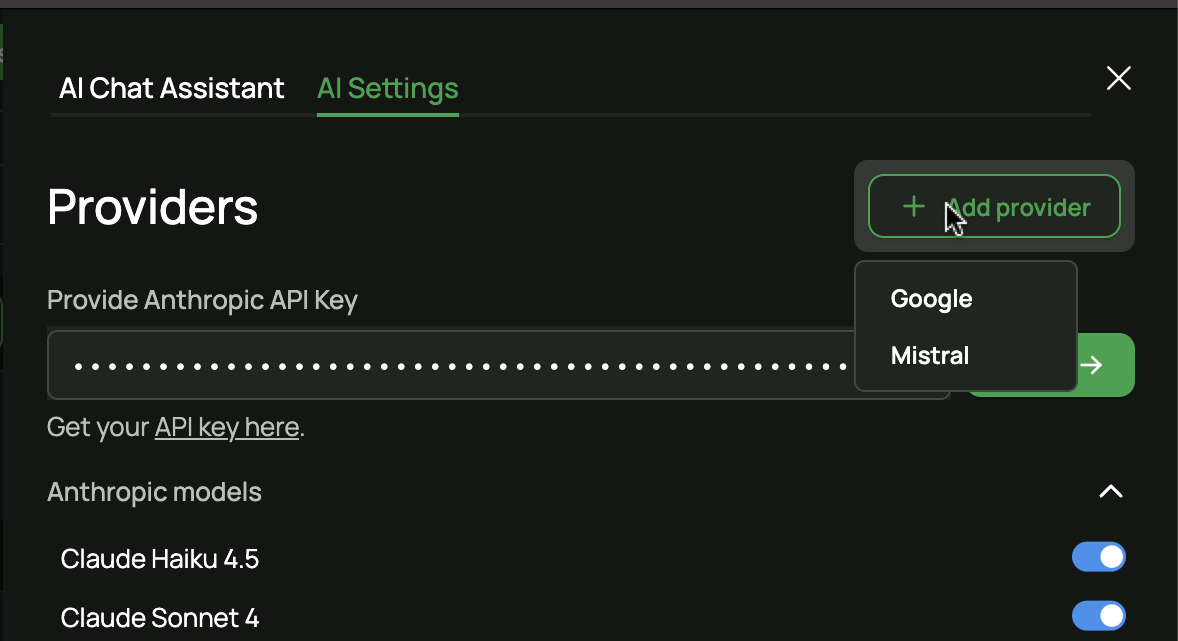
In addition to the default providers, you can add the following providers via the "Add provider" option:
- Google (Gemini 2.5 Flash, Gemini 2.5 Pro)
- Mistral (Mistral Large, Mistral Small)
The AI Settings panel shows all configured providers (default and added) in one place.
# Steps to Add a Provider
- Open the AI Settings area (e.g. from the AI Chat Assistant or application settings).
- Use the Add provider dropdown to choose the provider you want to add (Google or Mistral).
- In the provider form, enter your API key and click Verify. The given models will be enabled automatically; if required, you can add more models for that provider.
The sections below walk through adding Google and Mistral.
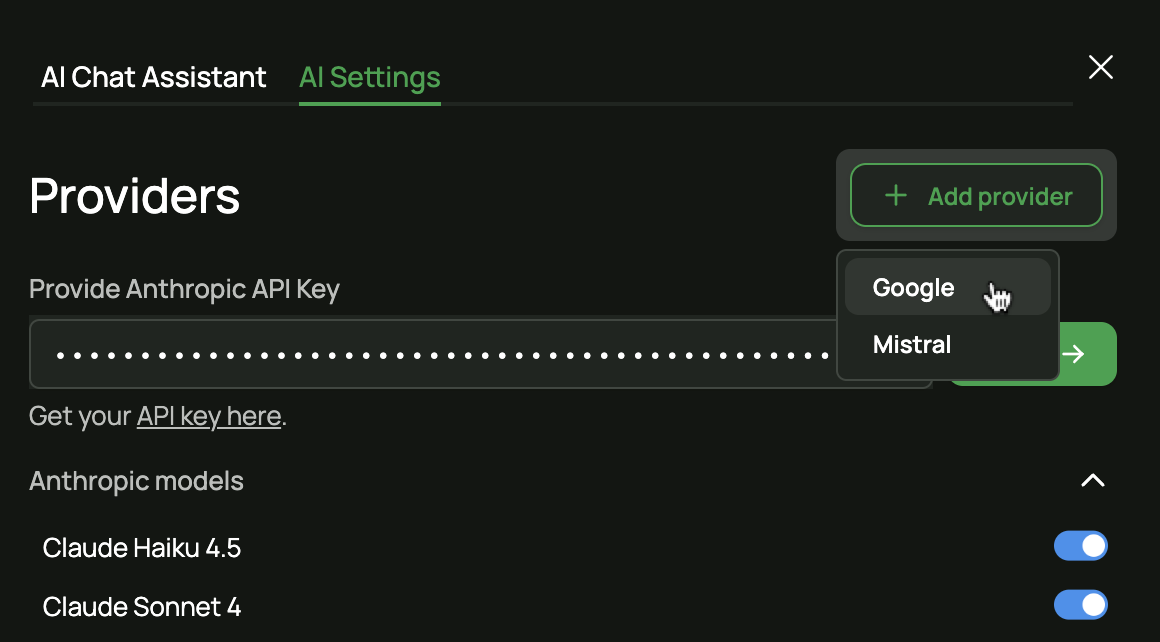
- In the Add provider dropdown, select Google.
- In the provider form, enter your API key and click Verify. The given models (e.g. Gemini 2.5 Flash, Gemini 2.5 Pro) will be enabled automatically; if required, you can add more models for that provider.
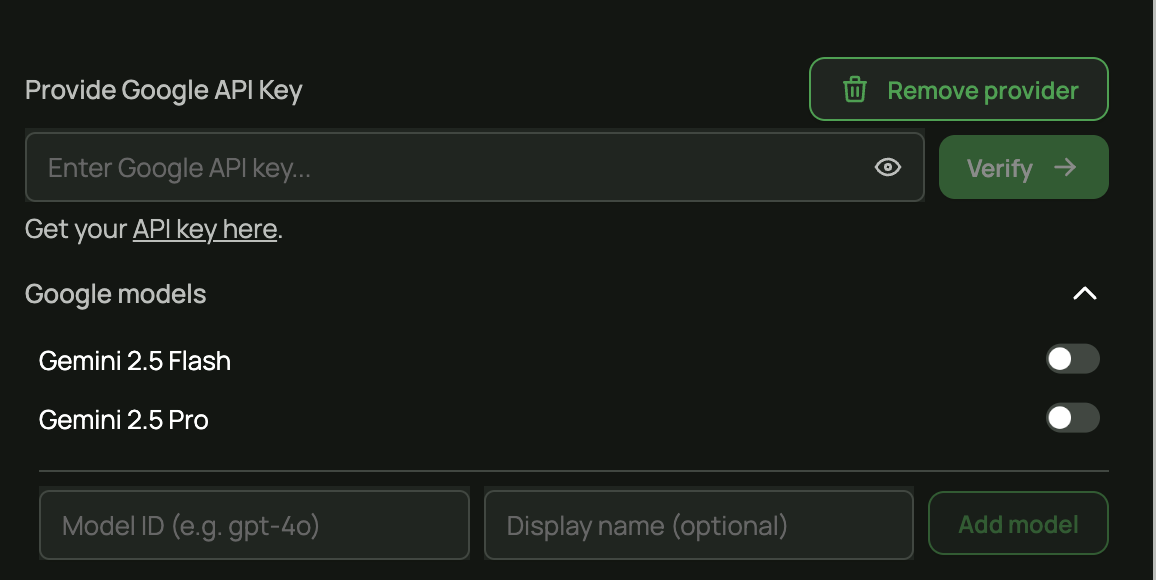
To obtain an API key, visit Google AI Studio – API Key (opens new window).
# Mistral
- In the Add provider dropdown, select Mistral.
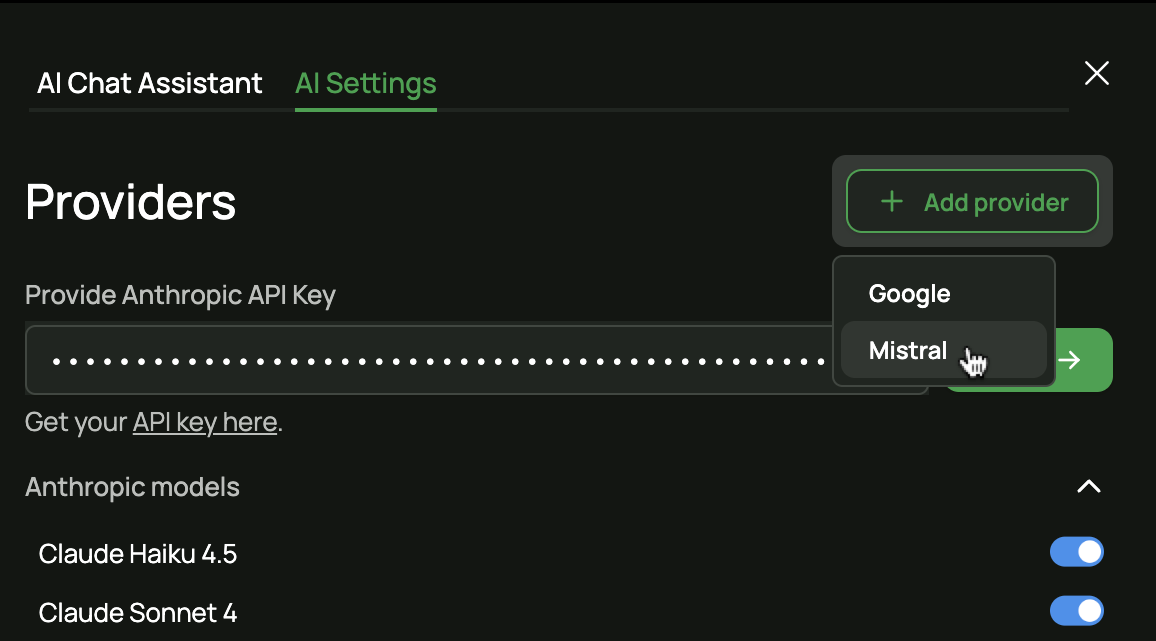
- In the provider form, enter your API key and click Verify. The given models (e.g. Mistral Large, Mistral Small) will be enabled automatically; if required, you can add more models for that provider.
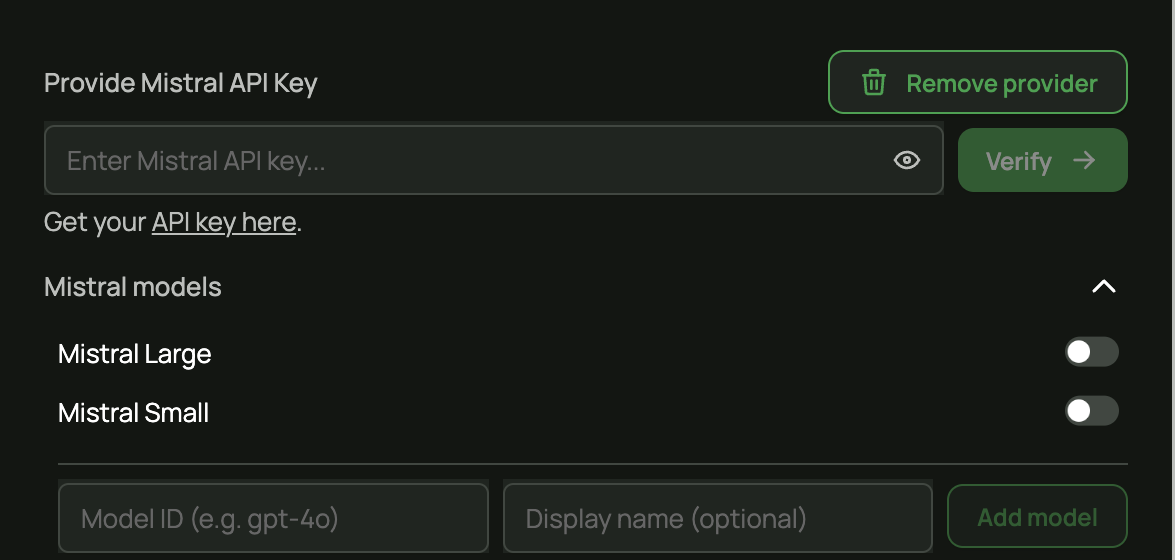
To obtain an API key, visit Mistral Console – API Keys (opens new window).
# Next Steps
After adding and verifying a provider, you can use the AI Chat Assistant to create and manage test cases. For configuring the default providers (OpenAI, Anthropic), see Setting Up Models.